Three apps to improve functionality on Wear OS
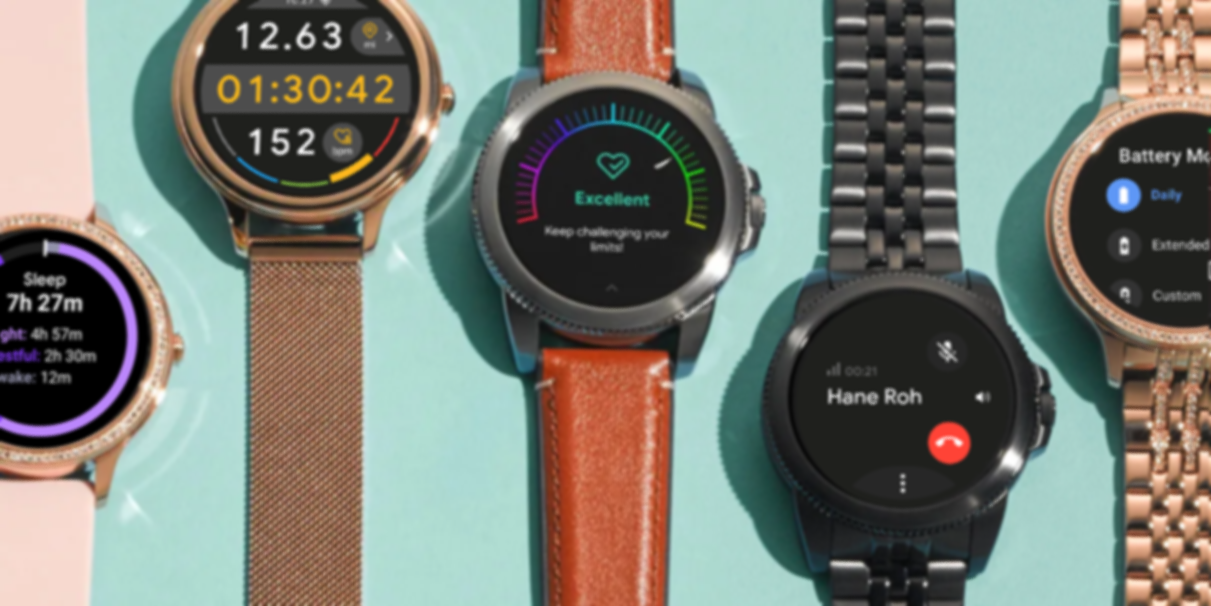
Fossil Watch Apps
Fossil Watch Apps
Fossil Watch Apps
Addressing Performance Shortcomings
I’m an advocate of innovation through demonstration: building high-impact, independent solutions to secure larger stakeholder buy-in. As users drew attention to subpar legacy features, I championed replacing them with custom in-house apps in order to more swiftly address user complaints and demonstrate their value for feature adopted into the broader Wear OS platform.
Dialer
Overview | Opportunity
In preparation for Fossil’s LTE smartwatch launch, I spearheaded a comprehensive review and overhaul of the Wear OS telephony interface. Identifying some notable UX shortcomings, I aimed to update the interaction model to better align with circular hardware constraints and improve accessibility without breaking from Google’s design framework.
Role
Lead UX Designer | App UI/UX
UI Design, User Flows, Wireframes, Prototyping & Testing
CHALLENGES
Strategic: Stay within Google’s design and system parameters
Technical: Assure parity with iOS and Android
UX: Reduce steps for basic controls
UX: Improve interaction for users with large fingers
UI: Implement a robust set of essential features without cluttering the screen
APPROACH
While building upon the framework of the existing Wear OS phone features, I also considered the unique call experiences on a smartwatch as opposed to a phone.

The screen with the most issues/complaints against it was the keypad due to poor usability, so I approached it first to establish what lessons to carry across all other screens.

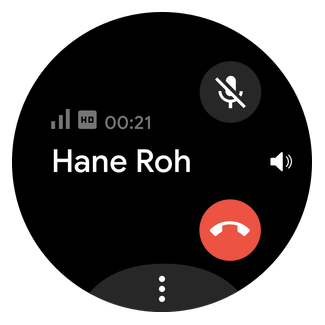
As receiving calls is the most common use of phone functionality on smartwatches, I undertook a complete redesign of the Incoming Call and Ongoing Call screens, exploring dozens of options to better suit the hardware.

Ultimately, I updated every screen to have improved interaction and more robust features.

IMPACT
Quicker use of more standard phone services like audio source switching, muting, and multi-call functionality is enabled; keypad buttons increased in size by 25%, improving legibility and interactivity; and emergency calling is immediately accessible and simplified.
Google immediately confirmed plans to implement similar changes to the standard Wear OS app.
Fossil Watch Apps
Three apps to improve functionality on Wear OS
“25% Increase to Legibility & Interactivity”
Smart Battery Modes
Overview | Opportunity
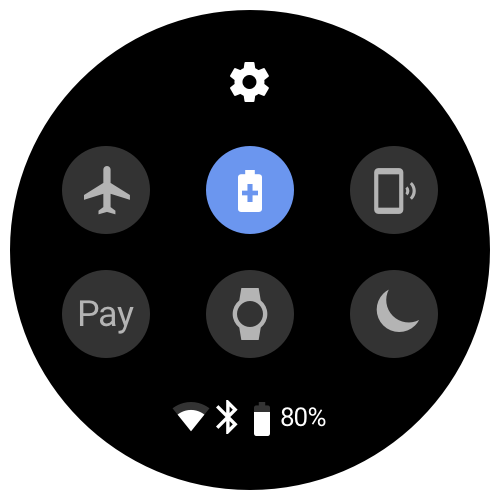
Fossil customers desire low maintenance experiences, which Wear OS power consumption often failed to satisfy. I partnered with Hardware and Software Engineering to identify internal optimizations to improve device longevity and implement them in the most intuitive, “set-and-forget” method available.
Role
Lead UX Designer | App UI/UX
Cross-Functional Collaboration, User Flows, Wireframes, Prototyping & Testing, UI Design, User Research
CHALLENGES
Technical: Identify triggers for real-time battery saving opportunities
Technical: Avoid hindering usage of common apps and features
Technical: Control system settings without full OS access
UXR: Categorize Fossil smartwatch usage habits
UX: Simplify controls for average users
APPROACH
As a feature directly linked to user behaviors and with a large variety of brand identities to account for – from Diesel to Kate Spade – I conducted a comprehensive study of user trends, behaviors, and demographics to see where they all overlapped.

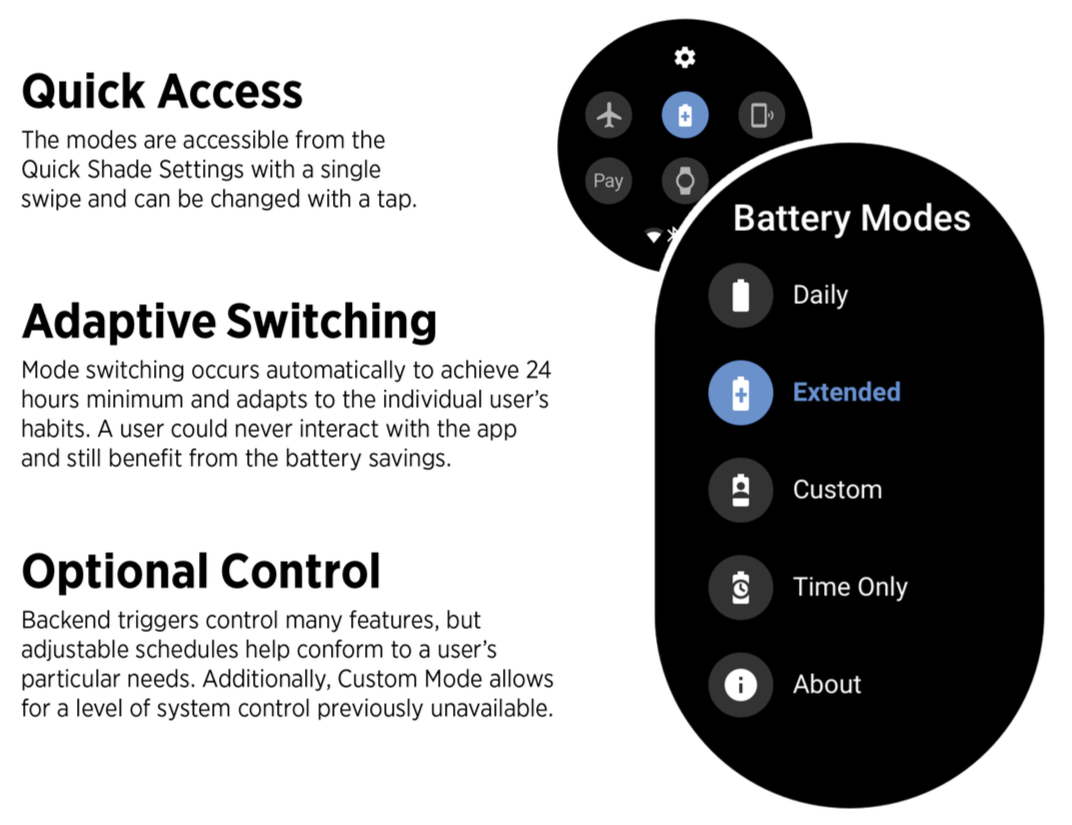
After establishing the different tiers of users, I tested multiple iterations of settings profiles with Engineering to see which provided the best daily experiences with the least interaction required. Ultimately, the tenets of the battery control experience synthesized into 4 optimized modes falling into 2 control type categories – passive and active.
PASSIVE


ACTIVE

IMPACT
Average battery life with regular usage increased from 18-20 hours to above 26 hours using the Smart Battery Modes app. The app was hailed by users and tech reviewers as elevating Fossil Group devices closer to our competitors as well as used to highlight the missed opportunities of Wear OS.
“40% Battery Life Increase With No User Input Required”
Wellness
Overview | Opportunity
Fossil users identified a need for more advanced wellness metrics that exceeded current Google Fit capabilities, including a power-hungry sleep tracking mode. I served as the bridge between user desires and technical feasibility, architecting a robust health suite optimized for the Snapdragon 3100 chipset.
Role
Lead UX Designer | App UI/UX
Cross-Functional Collaboration, UI Design, User Flows, Wireframes, Prototyping & Testing
CHALLENGES
Technical: Design within the Snapdragon 3100 limitations for battery optimization
UX: Embrace Wear OS’ new Tile feature
UX: Provide users sufficient data control without the support of a companion phone app
UI: Use monospaced text on circular screens
UI: Visually unify multiple features under one app suite.
APPROACH
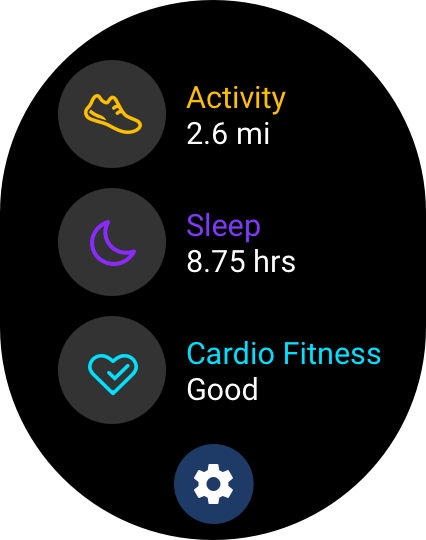
To satisfy all stakeholders as well as users, the initial offering of wellness apps individually addressed three distinct areas of advancement:
Improvement of an existing feature – Activity Tracking
Inclusion of an increasingly supported feature – Sleep Tracking
Introduction of a relatively unknown feature – Cardio Fitness
Activity
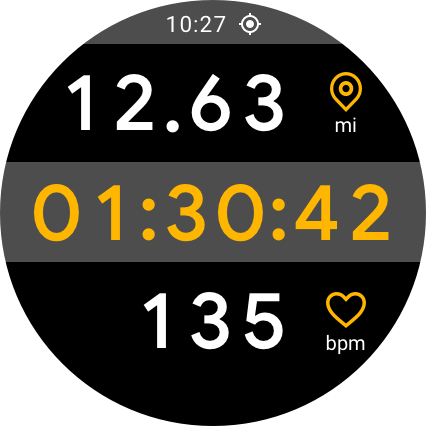
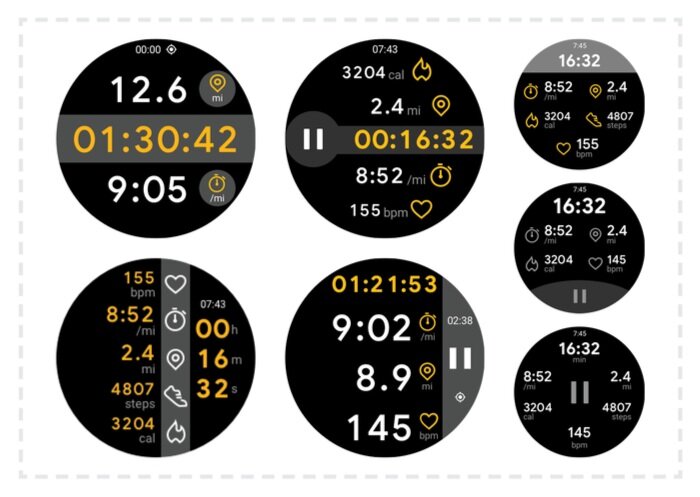
Through rounds of technical analysis, the final design optimizes active pixels and monospaced text to save battery while still providing essential metrics (per activity) legibly, even mid-workout in direct sunlight.
Monospace Limitations
The main focus of UI exploration for this hero feature was on how make the rigid text formatting feel dynamic, engaging, and glanceable.

Sleep
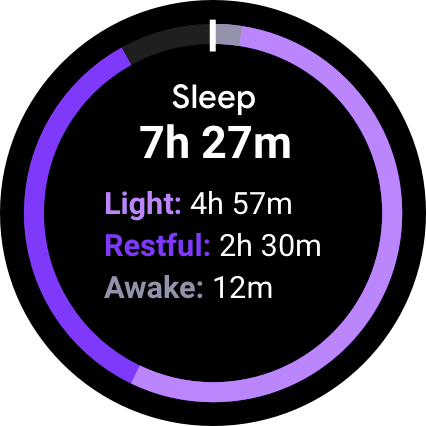
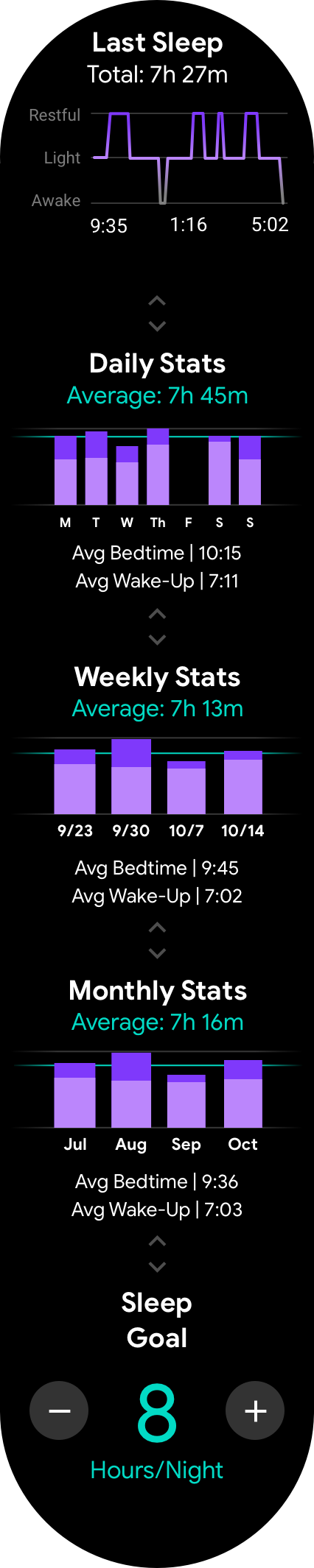
As a screen to be viewed daily and often upon first waking, the data is clear and glanceable with a “filling” animation to provide character and engagement that is lacking on most (static) tiles. Deeper analysis is available with a simple tap to open the app itself.

Pushing the New Tiles
As a passive health metric, I explored ways to make the Wear OS tile “exciting” as well as helpful to increase engagement.
Cardio Fitness
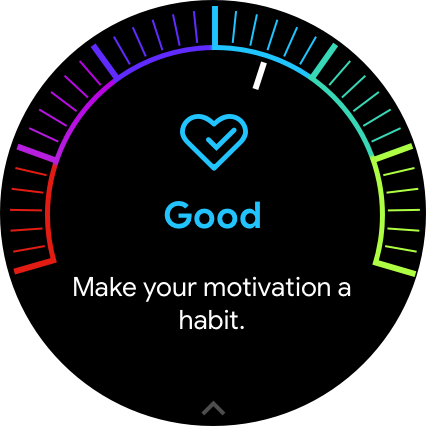
Through guided onboarding, motivational messaging, and an approachable gauge design, this largely unknown metric is broken down into a more digestible format – how fit are you for your age.

Quick Education
The meaning and value of cardio fitness data needed to be clear to unfamiliar users without a lengthy tutorial.

Activity consumes only 33% of the energy of Google Fit and allows for up to 4 hours of continuous GPS tracking. Sleep and Cardio Fitness tracking are enabled by the improved +24 hours of regular battery life, providing previously unavailable analytics on Wear OS devices.
Reviewers praised Fossil for taking the lead on addressing common Wear OS shortcomings with consideration for style and performance.
IMPACT
“A health window that extends beyond a single day”